
7 Best Boom Clap Confetti AI Generators, Compared (Nov 2026)
7 Boom Clap confetti AI generators compared on Nov 29, 2026: length, sound, room and price. Boom Clap Trend AI edits the original clip, $6.99 for 720p.
 Boom Clap Trend AI Team18 min read
The Boom Clap Trend AI team: we watch every Boom Clap confetti clip we write about, date every view count we quote, and read each price on the tool's own page the day we write.

TL;DR — A Boom Clap confetti AI generator turns one photo into a clip with confetti on the beat. We compared 7 of them on November 29, 2026, from 12.8-second videos to $6.99 packs.
Boom Clap Trend AI is the pick for the original clip. It edits @po1ives's white-chair post and keeps the trend's sound and both bursts. You'll get one 12.8-second 720p video for $6.99, and you don't need an account.
Ricebowl's the pick for ready-made party scenes, while X Maaari's CapCut template fits you if you already edit in the CapCut app.
Clip lengths run from 12 to 15 seconds across these tools. Sound ranges from the song itself to instrumental music with no vocals, and three tools let you change the room.
Every Boom Clap confetti AI generator says you get one photo and confetti on the beat, so the pages blur together. You open five tabs and see the same promise on each one.
So we opened each tool's page on November 29, 2026. We noted length, frame, sound, the room behind you, price and how you start. Here's what you get: one table to scan, one entry per tool, and a short list of checks before you pay.
Best Boom Clap Confetti AI Generators at a Glance
Seven Boom Clap confetti AI generators appear side by side below, as their pages read on November 29, 2026.
| Tool | Best for | Key limitation (from its page) | Price, as its page states it |
|---|---|---|---|
| Boom Clap Trend AI | The original white-chair clip with the trend's own sound | One photo in, both bursts out, and an optional room swap | $6.99 for one 12.8-second 720p video |
| X Maaari's CapCut template | People who already edit in the CapCut app | Web button greyed out; mobile app only | Not shown on the template page |
| MakeViral | A copy of @cadelandmia's front-view reel | The room is the reel's white living room | 183 credits a video |
| Ricebowl | Ready-made party scenes | Instrumental music, no vocals | 60 credits |
| Starrd | The room from your own photo | Made at 480p | 150 credits (about $7.50) |
| MakeHit | Choosing 480p, 720p or 1080p | Needs a registered MakeHit account | 10 / 20 / 40 credits |
| TrendSwap | Black Friday packs (ends Nov 30) | "Audio varies by template and generation mode" | $9.90 for 50 credits |
The next table lists the length, frame, sound and background rules each page states for you.
| Tool | Length | Frame and resolution | Sound | Can you change the background? |
|---|---|---|---|---|
| Boom Clap Trend AI | 12.8 s | 9:16, 720p or 1080p | The trend's sound | Yes, optional: a place photo in the "Whole background" circle, no extra credits |
| X Maaari's CapCut template | 00:14 | 9:16 | Not stated on its page | Not mentioned on its page |
| MakeViral | 12 s | 9:16, 720p | The song, added after | No: "the white room … come from the reel" |
| Ricebowl | 15 s | 9:16, 768p | Instrumental, no vocals | Yes: five preset scene chips |
| Starrd | 12 s | 9:16, 480p | The song | Yes: the background of your photo |
| MakeHit | 12 s | 9:16, 480p, 720p or 1080p | "Beat-synced audio" | Not mentioned on its page |
| TrendSwap | 12 s | 9:16, 480p, 720p or 1080p | "Audio varies" | Not mentioned on its page |
Prices and specs come from each tool's own page, read on November 29, 2026.
What to Look For in a Boom Clap Confetti AI Generator
A good Boom Clap confetti AI generator gets six things right, so your video's what you wanted. Check each point before you upload your photo and spend your money.
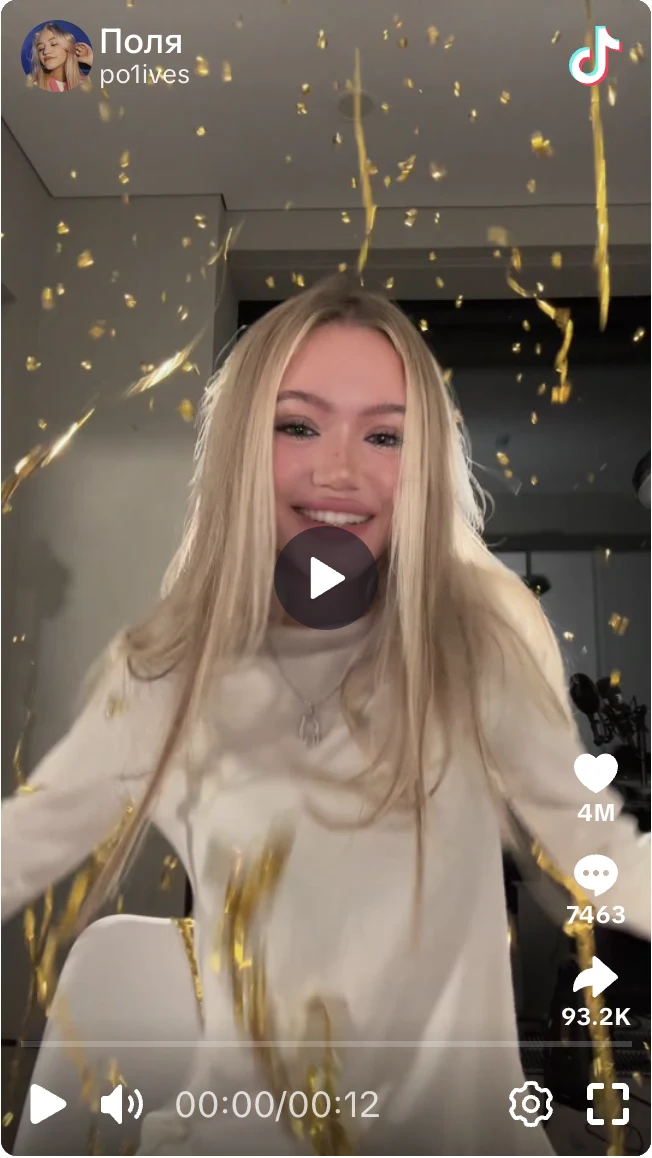
- The original clip: The trend's first post with the Boom Clap sound we found is the "BOOM CLAP" post by @po1ives on TikTok, from November 12, 2026. It had 27.2M views on November 29, 2026. A woman on a white chair in a grey room sings while a confetti cannon fires behind her, twice. Some generators copy that room; others build a new one.
- Both bursts on the beat: In @po1ives's post, the first burst lands at 2.0 seconds and the gold burst lands at 7.2 seconds. A generator that keeps the clip's own timing holds both bursts in their original spots.
- The sound: The trend uses Charli XCX's "Boom Clap" (2014), so check what audio you'll actually get. Some pages say the song comes with the video. One says instrumental music with no vocals, and one tells you to add audio after export.
- The room: You'll see three approaches to the setting behind you. Some tools keep one fixed room, some let you pick a preset scene, and some use the room from a photo.
- One photo, no account: Every tool here starts from one photo, which keeps things simple for you. Some still ask you to sign up for an account or open a phone app first, and that's an extra step.
- The price up front: Look for the price of one video before you upload your picture. Also check what happens to your credits if a video doesn't finish.
You can read how the Boom Clap confetti trend started if you want the background on the first posts and the song.
Ready to try it yourself? You can make a Boom Clap confetti video from one photo, keep 720p, and press "Create · $6.99".
The 7 Best Boom Clap Confetti AI Generators
Each Boom Clap confetti AI generator below gets the same five labels, so you can compare them line by line. We've read every detail on November 29, 2026, straight from each page.
1. Boom Clap Trend AI: Best for the Original White-Chair Clip
Boom Clap Trend AI is the pick when you want the original clip. It edits @po1ives's white-chair post and keeps the trend's sound and both bursts.
You'll need one photo and no account, and it's $6.99 at 720p. You get all of that on Boom Clap Confetti Trend AI for TikTok and Reels in your web browser.
- Length and frame: Your video's 12.8 seconds long in a vertical 9:16 frame. It's a watermark-free MP4 in 720p or 1080p, with the trend's sound. The face from your one photo sings all 12.8 seconds in your photo's clothes. The first burst lands at 2.0 seconds and the gold burst at 7.2 seconds.
- Sound: The MP4 keeps the trend's sound from @po1ives's November 12, 2026 post.
- The room: You keep the original grey room, white chair, camera and timing from the post. There's also an optional "Whole background" circle in the top-left corner, and it "costs no extra credits".
- Price: One 12.8-second 720p video uses 350 credits, which cost $6.99. A 1080p video uses 1,480 credits. Packs are one-time, nothing renews, and your credits stay valid for 365 days.
- To start: You add one photo with one face. It can be you, a consenting adult 18 or older, a pet, a dog, a cat, a cartoon or a game character. You don't need an account or an app. The page says: "No account needed: pay once and your video starts right here."
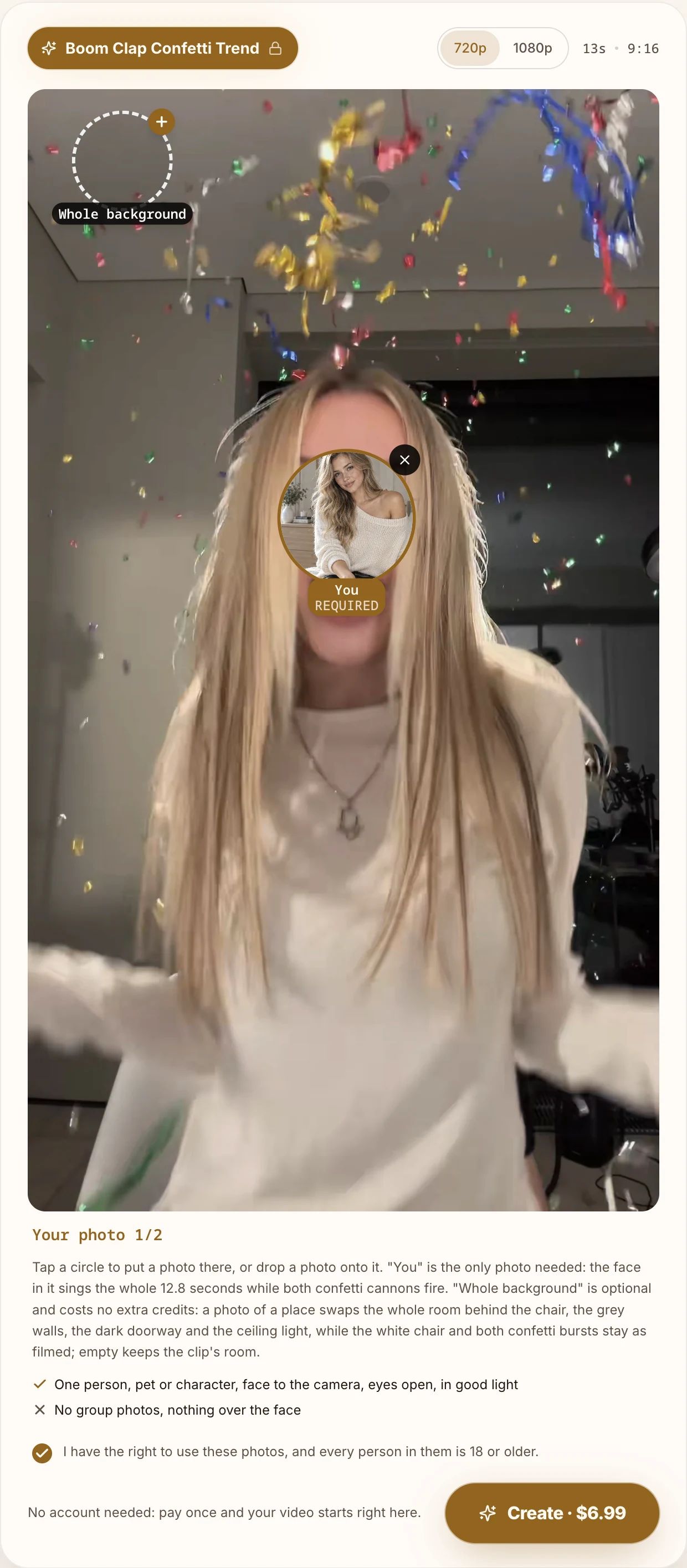
Put a photo of a place in the "Whole background" circle, and it swaps the whole room behind the chair: the grey walls, the dark doorway and the ceiling light. The white chair and both confetti bursts stay as filmed. Leave the circle empty and you keep the clip's room.
At 720p the button reads "Create · $6.99", so you'll see the price before you pay. Credits stay valid 365 days.
A video that fails returns its credits automatically, and 1,480 credits make a 1080p video. You can check every credit pack on the pricing page.
Follow the step-by-step Boom Clap confetti AI guide if you want a full walkthrough of the 12.8-second clip.
2. X Maaari's CapCut Template: Best If You Already Edit in CapCut
X Maaari's CapCut template is best when you already use the CapCut app on your phone. A CapCut template is an edit someone already built in CapCut, with an empty spot where your photo goes.
CapCut user X Maaari made this 9:16 one on November 16, 2026. You can view X Maaari's template page on CapCut to see its details.
- Length and frame: The page lists 00:14 in a 9:16 frame with one photo slot. It had 295,103 uses at 13:10 UTC on November 29, 2026, the most of any Boom Clap confetti template we found.
- Sound: The template page doesn't state the sound.
- The room: The page doesn't mention changing the room. Its preview shows a woman in a champagne satin top on a night rooftop, with city lights behind her. Multicolour confetti comes first, then gold streamers.
- Price: The template page doesn't state a price.
- To start: On CapCut's website the "Use this template" button is greyed out, and the page says "Not available on the web app yet. Try it on the mobile app."
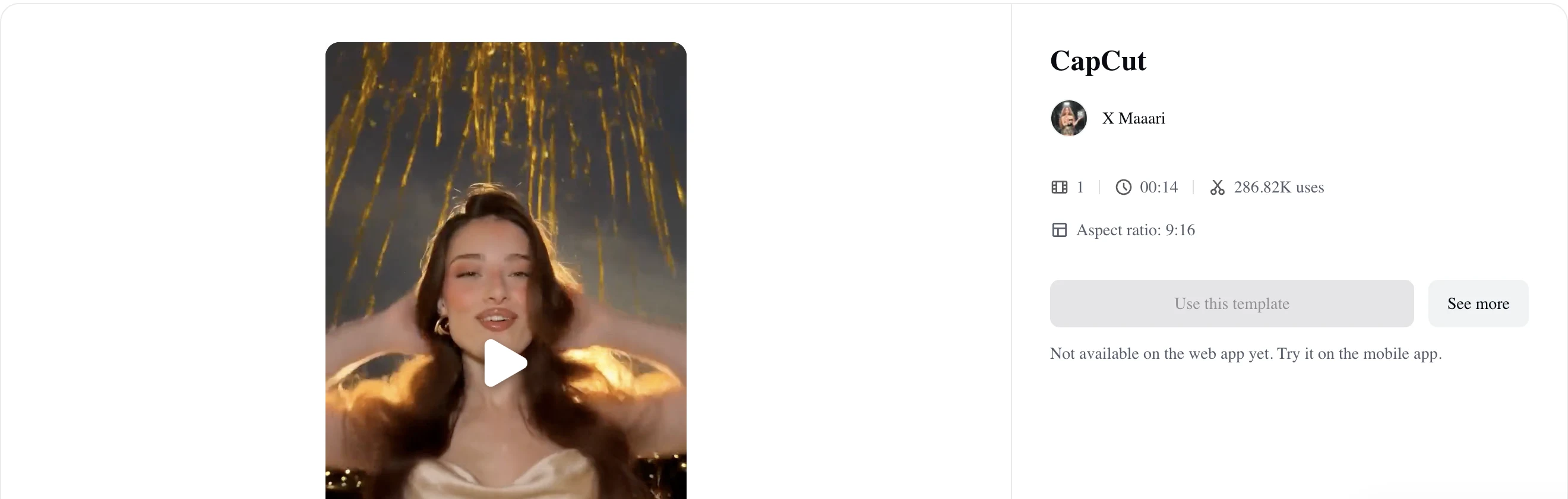
If you already edit in the CapCut app on your phone and like a night-rooftop look, X Maaari's template is the better pick. To get the original white-chair clip in your web browser from one photo, use Boom Clap Trend AI.
You can also read how to open the Boom Clap CapCut template before you switch to your phone.
3. MakeViral: Best for a Copy of a Different Front-View Reel
MakeViral is best when you want a 12-second 720p video modeled on Cadel and Mia's front-view reel. That's @cadelandmia's post from November 17, 2026, not @po1ives's. You can read MakeViral's Boom Clap confetti page for its exact terms.
- Length and frame: The page lists "12 s" in 720p and 9:16, with "No watermark" noted.
- Sound: The page says the trend's song is put on after the video is made, and "You can turn it off on the result screen."
- The room: The page says "Any background works: the white room, the camera and the confetti come from the reel." So you'll land in that reel's white living room.
- Price: One video takes 183 credits, and the smallest one-time pack that covers it on the page is $39.99 for 450 credits.
- To start: The page says "Everything runs in the browser" and asks for one photo of you or your pet.
4. Ricebowl: Best for Ready-Made Party Scenes
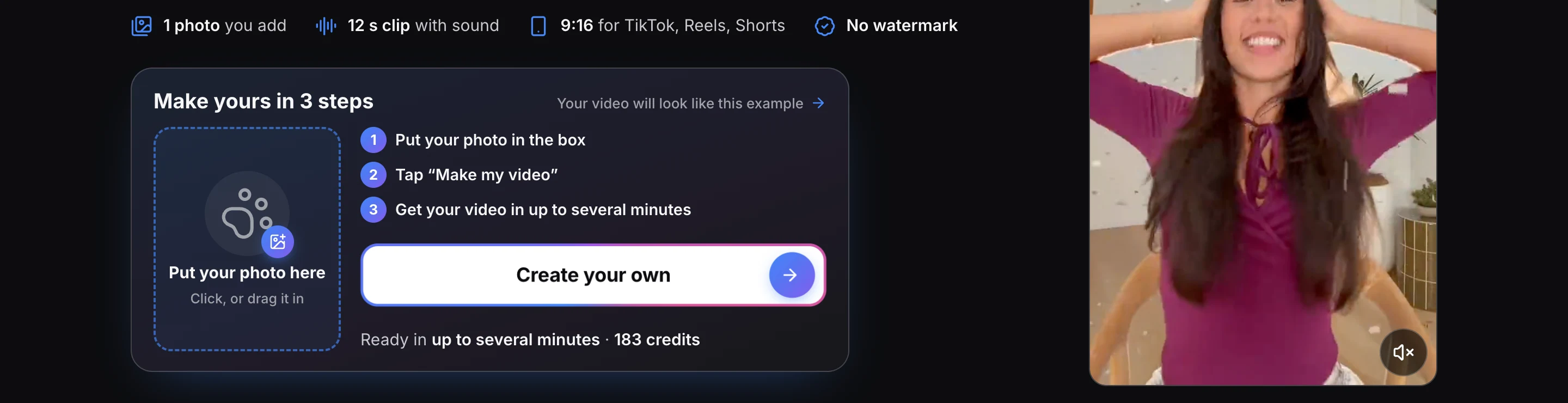
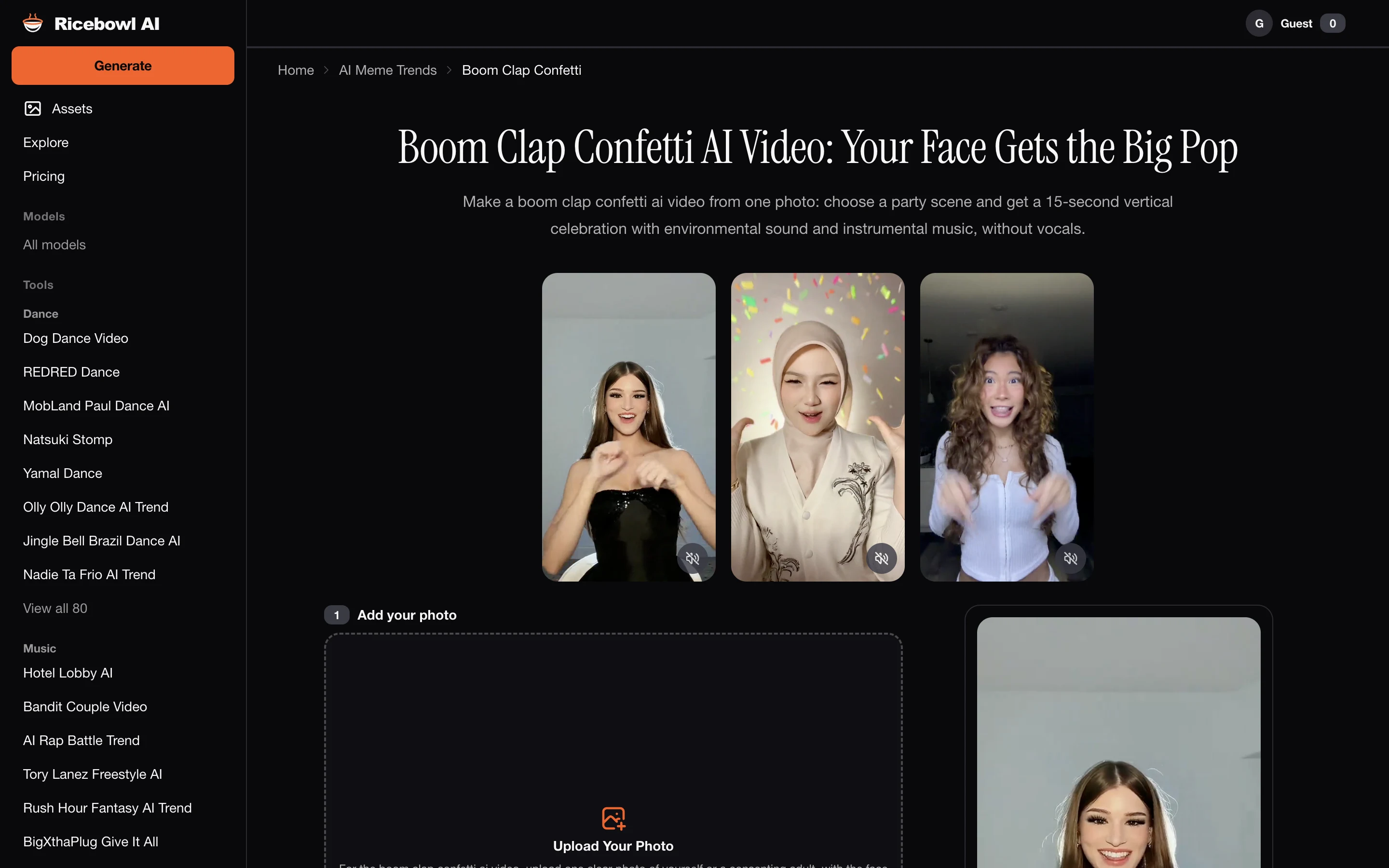
Ricebowl is best when you want a 15-second vertical clip and one of five preset party scenes. Ricebowl's Boom Clap confetti page sets out the scene chips, length and audio rules before you begin.
- Length and frame: Every result is 15 seconds in vertical 9:16 format at 768p.
- Sound: The page specifies "environmental sound and instrumental music, without vocals" and adds "You cannot upload your own song".
- The room: You pick one of five scene chips: Pastel Confetti Pop, Color Burst Party, Spotlight Confetti, Stadium Celebration or Gold Streamer Cheer. The page says "You must choose from the available scene chips instead of entering a custom scene."
- Price: The quality line shows 60 credits for one video. There's no dollar price on the page.
- To start: You give it one clear photo of yourself or a consenting adult, then pick a scene chip.
If you want a ready-made party scene, such as a stadium or a spotlight, without a place photo of your own, Ricebowl's five scene chips are the better pick. To step into the original white-chair clip with the trend's own sound, use Boom Clap Trend AI.
5. Starrd: Best for Keeping the Room From Your Own Photo
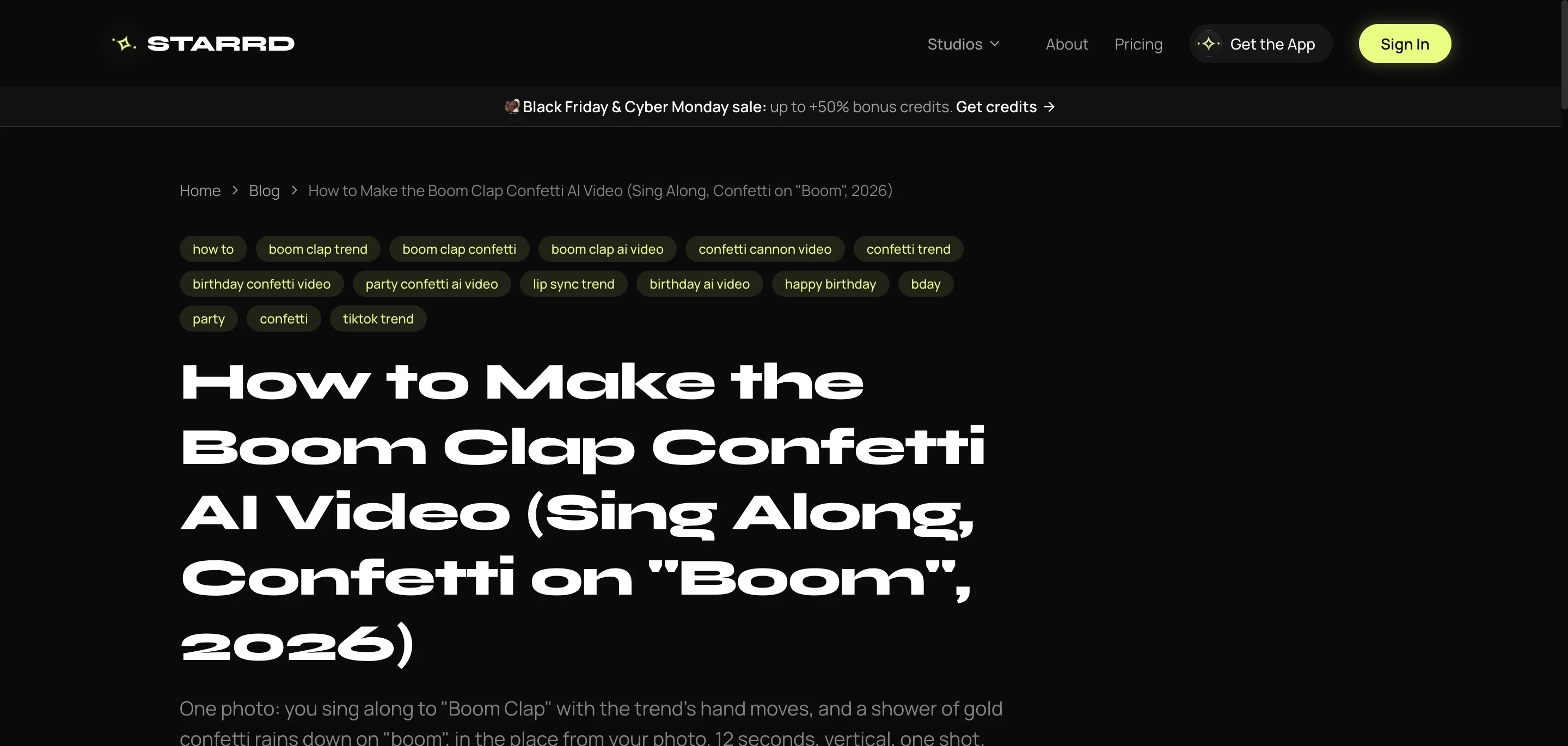
Starrd is best when you want the background of your own photo kept as the setting, in a 12-second 480p clip. That's what Starrd's Boom Clap confetti guide says, posted November 25, 2026. Its guide explains how your outfit, photo room and singing line up.
- Length and frame: The guide states "12 seconds, vertical 9:16, at 480p, with the song."
- Sound: Your video includes the song as you sing along with the trend's hand moves, and gold and white confetti falls on "boom".
- The room: The guide states "The setting is the background of your photo and you keep your own outfit."
- Price: The guide lists "150 credits (about $7.50)".
- To start: You'll find the template in Starrd's Birthday category. The page header offers "Get the App" and "Sign In", and pets work too.
6. MakeHit: Best for Picking Between Three Resolutions
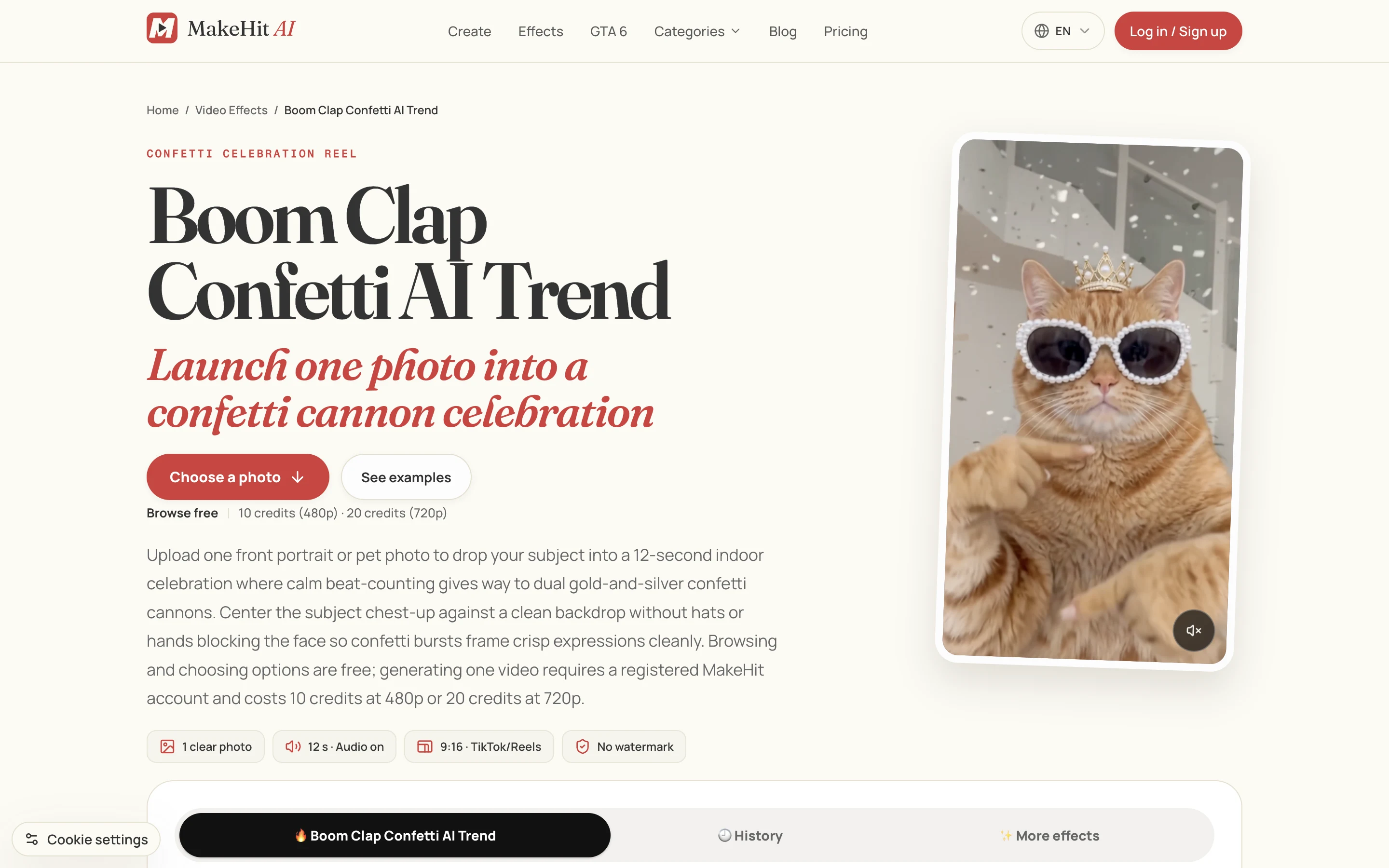
MakeHit is best when you want to pick between 480p, 720p and 1080p. MakeHit's Boom Clap Confetti AI Trend page lists the credit cost for each resolution and its account rule.
- Length and frame: The page lists "12 s" in 9:16 with "Audio on" and "No watermark" chips.
- Sound: The page describes "beat-synced audio".
- The room: The page describes "a 12-second indoor celebration" and doesn't mention changing it.
- Price: Resolution pricing reads "10 credits (480p) · 20 credits (720p) · 40 credits (1080p)".
- To start: The page states "generating one video requires a registered MakeHit account". It takes a front portrait or a pet photo. Its demo's an orange cat in sunglasses and a gold tiara.
7. TrendSwap: Best for Black Friday Credit Packs
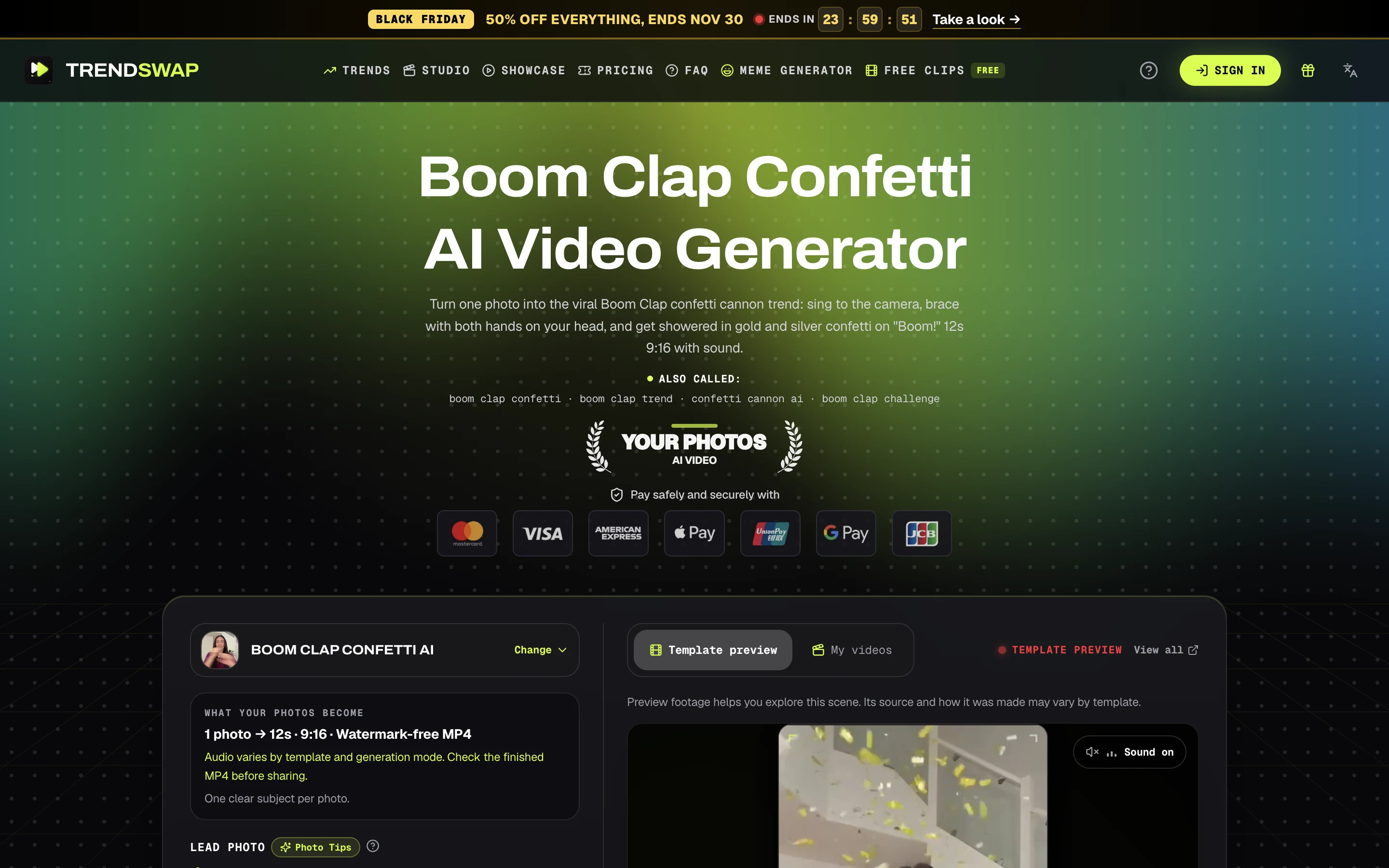
TrendSwap is best if you're after its Black Friday credit pack offer before November 30. TrendSwap's Boom Clap confetti page sets out the pack price, resolution choices and photo deletion rule.
- Length and frame: The page reads "1 photo → 12s · 9:16 · Watermark-free MP4", and you choose 480p, 720p or 1080p.
- Sound: The page states "Audio varies by template and generation mode. Check the finished MP4 before sharing."
- The room: The page shows one preview scene, "Living Room Confetti Burst", and doesn't mention changing it.
- Price: A Black Friday banner reads "50% off everything, ends Nov 30". The page says "Pay $9.90 for 50 credits" ($19.80 from December 1). A 480p video uses 25 credits and 720p uses 50.
- To start: You upload one photo, and the page states "Photos are auto-deleted after 7 days."
Three More Boom Clap Confetti AI Pages We Read
Three more Boom Clap confetti AI pages came up in our search. Each one leaves out something the seven above state, so check what each page lists before you treat it like a full option.
- Media.io: Media.io's Boom Clap confetti page shows a count-in, hands to the head and gold and silver confetti. Its banner reads "$0.99 3-DAY TRIAL". Its FAQ says "If you add audio after export", line up the burst with the beat. It doesn't state a length.
- PicLumen: PicLumen's Boom Clap Solo Spotlight page describes a template that turns a portrait into a lip-sync clip, with a crossed-arm cue before the confetti. It doesn't state a length, a sound or a price for it.
- Vismuse: Vismuse's Boom Clap confetti AI tool page lists "12 s · 9:16" and "Paid credits required". Its FAQ says you can change the outfit or background with "a short instruction about clothing, lighting or the setting".
How This List Was Made
We built this list of Boom Clap confetti AI generators from each tool's own page, read on November 29, 2026. Every spec and price here comes straight from what those pages showed that day.
- What we read: We read the Boom Clap confetti page of each of the ten tools named here on its own site, plus X Maaari's template page on CapCut.
- When: We read the pages on November 29, 2026, between 13:09 and 13:15 UTC, and took screenshots the same day.
- What we counted: We checked length, frame, resolution, sound, whether the room can change, price as the page states it, and what you need before you start.
- How we ranked: We ranked the tools by how close the video stays to the trend's original clip and sound. Then we looked at how much the page tells you before you pay. Boom Clap Trend AI is our own site.
Boom Clap Confetti AI Generator FAQ
Which Boom Clap confetti AI generator keeps the original sound?
Boom Clap Trend AI keeps the trend's sound in the MP4. Starrd says its clip comes "with the song", and MakeViral says the song's put on after and can be turned off.
Ricebowl states "environmental sound and instrumental music, without vocals". TrendSwap states "Audio varies by template and generation mode", and Media.io says "If you add audio after export". MakeHit describes "beat-synced audio", and X Maaari's template page doesn't state the sound.
Can I change the background in a Boom Clap confetti AI video?
Yes, on three of the seven tools, and each one does it its own way. Boom Clap Trend AI has an optional "Whole background" circle in the top-left corner. It swaps the whole room behind the chair for a place from your photo, and it "costs no extra credits".
Ricebowl offers five scene chips, and Starrd uses the background of your photo. Vismuse's FAQ also says you can change the background with a short instruction about clothing, lighting or the setting. MakeViral keeps the white room from its reel.
Is there a Boom Clap confetti AI generator that works without an app?
Yes, our Boom Clap confetti maker runs in your web browser, and you don't need an account. MakeViral's page also says "Everything runs in the browser".
X Maaari's CapCut template has a greyed-out web button and tells you to try it on the mobile app. MakeHit says you'll need a registered MakeHit account to make a video.
Can I use a pet photo in a Boom Clap confetti AI generator?
Yes, Boom Clap Trend AI works with a pet, a dog, a cat, a cartoon or a game character, with one face per photo. MakeViral's page says you can use one photo of you or your pet.
Starrd's guide says "Works with pets too", and MakeHit takes a front portrait or a pet photo. Check each page's rules before you upload if you're using someone else's photo.
How much does a Boom Clap confetti AI video cost?
Boom Clap Trend AI is $6.99 for one 12.8-second 720p video, and you don't need an account. MakeViral's page lists 183 credits a video, and its smallest one-time pack that covers it is $39.99 for 450 credits.
Ricebowl's quality line shows 60 credits a video, with no dollar price. Starrd's guide lists 150 credits (about $7.50).
MakeHit lists 10 / 20 / 40 credits for 480p / 720p / 1080p. TrendSwap lists $9.90 for 50 credits until November 30 ($19.80 from December 1). There, 480p uses 25 credits and 720p uses 50.
Pick Your Boom Clap Confetti AI Generator
Among the seven Boom Clap confetti AI generators compared on November 29, 2026, Boom Clap Trend AI is the right pick for the original clip. It edits @po1ives's white-chair post and keeps both bursts and the trend's sound.
You'll need one photo and no account, and it's $6.99 at 720p. Its optional "Whole background" circle lets you swap the room at no extra cost.
You can pick Ricebowl if you want five preset party scenes. Or pick X Maaari's CapCut template if you're already working inside the CapCut app on your phone.
Pick a chest-up photo where your face takes up a third or more of the picture's height, looking at the lens with eyes open and nothing over it.
Open the Boom Clap Confetti Trend maker, add one photo, keep 720p, and press "Create · $6.99".
Related Articles
- What Is the Boom Clap Confetti Trend? (Who Started It, Dated) — the second boom, the first posts and the song behind them.
- How to Make a Boom Clap Confetti AI Video (No Confetti Cannon) — one photo, a few taps and what the 12.8 seconds show.
- Boom Clap CapCut Template: Find the Confetti One and Use It — which template has the confetti, and how to open it.


