
How to Make a Boom Clap Confetti AI Video (No Confetti Cannon)
Boom Clap confetti AI in 4 steps: one photo, an optional place, 720p, Create. A 12.8-second 9:16 MP4 with the trend's sound for $6.99.
 Boom Clap Trend AI Team11 min read
The Boom Clap Trend AI team: we watch every Boom Clap confetti clip we write about, date every view count we quote, and read each price on the tool's own page the day we write.

TL;DR — You make a Boom Clap confetti AI video by putting one photo on the "You" circle of Boom Clap Trend AI and pressing Create. It edits the original white-chair clip so the face from your photo sings all 12.8 seconds while both confetti bursts go off, with the trend's sound. One 720p video is $6.99, with no account and no app.
A second, optional circle, "Whole background", takes a photo of a place and swaps the room behind the chair, at no extra credits.
You've probably watched a friend's Boom Clap confetti video on your feed and wondered how they pulled it off without a messy cleanup. The real trend demands a confetti cannon, a friend to fire it twice on the beat, and a pile of retakes. One of the biggest posts, by @nataliireynoldss, says it in its caption: "yall this took us so many attempts. After 100 tries we got it".
We went through the page on November 29, 2026 with a test photo and a beach photo, up to the payment window, and took a screenshot at each step. You'll get four simple steps, the photo that works, what the 12.8 seconds show, how to post it, and the other routes.
Make a Boom Clap Confetti AI Video Without a Confetti Cannon
You make a Boom Clap confetti video from one photo by using Boom Clap Trend AI. It takes your face and puts it in the original white-chair clip. Both confetti bursts still fire, and the trend's sound comes with it.
- What you skip: the cannon, the friend, the clean-up and the retakes
- What you add: one photo; a place photo if you want
- What you get: 12.8 seconds, 9:16, MP4 with the trend's sound, 720p or 1080p
You'll want to add one photo, keep 720p, and press "Create · $6.99".
What You Need for a Boom Clap Confetti AI Video
You need one photo and a web browser, on a phone or a computer, to use Boom Clap Confetti Trend AI for TikTok and Reels.
- Your photo: a chest-up selfie facing the lens
- A place photo (optional): an image of a room or view for the background
- A web browser: Safari, Chrome, or any standard browser without an app to install
- $6.99: the price for one 720p video using 350 credits
You'll find the composer sitting right at the top of that page.
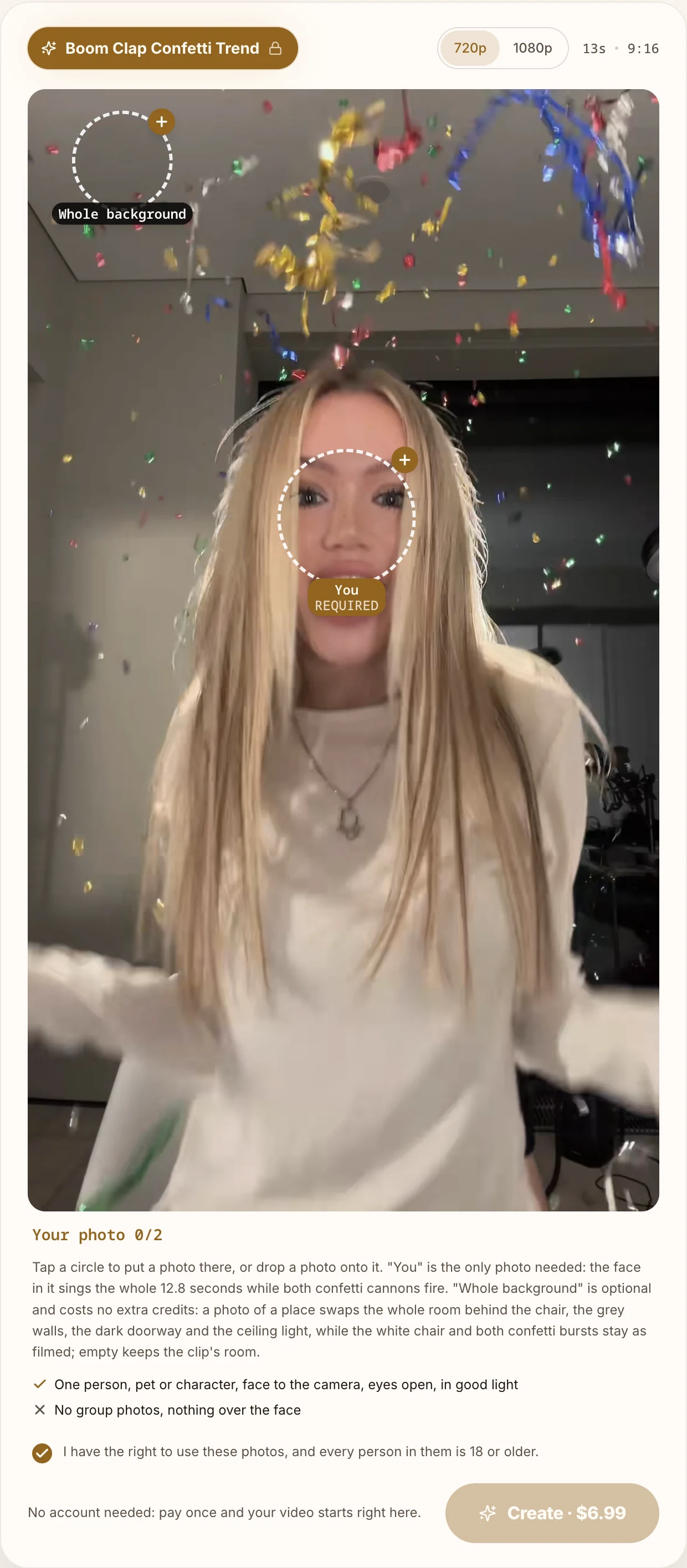
Step 1: Put Your Photo on the "You" Circle
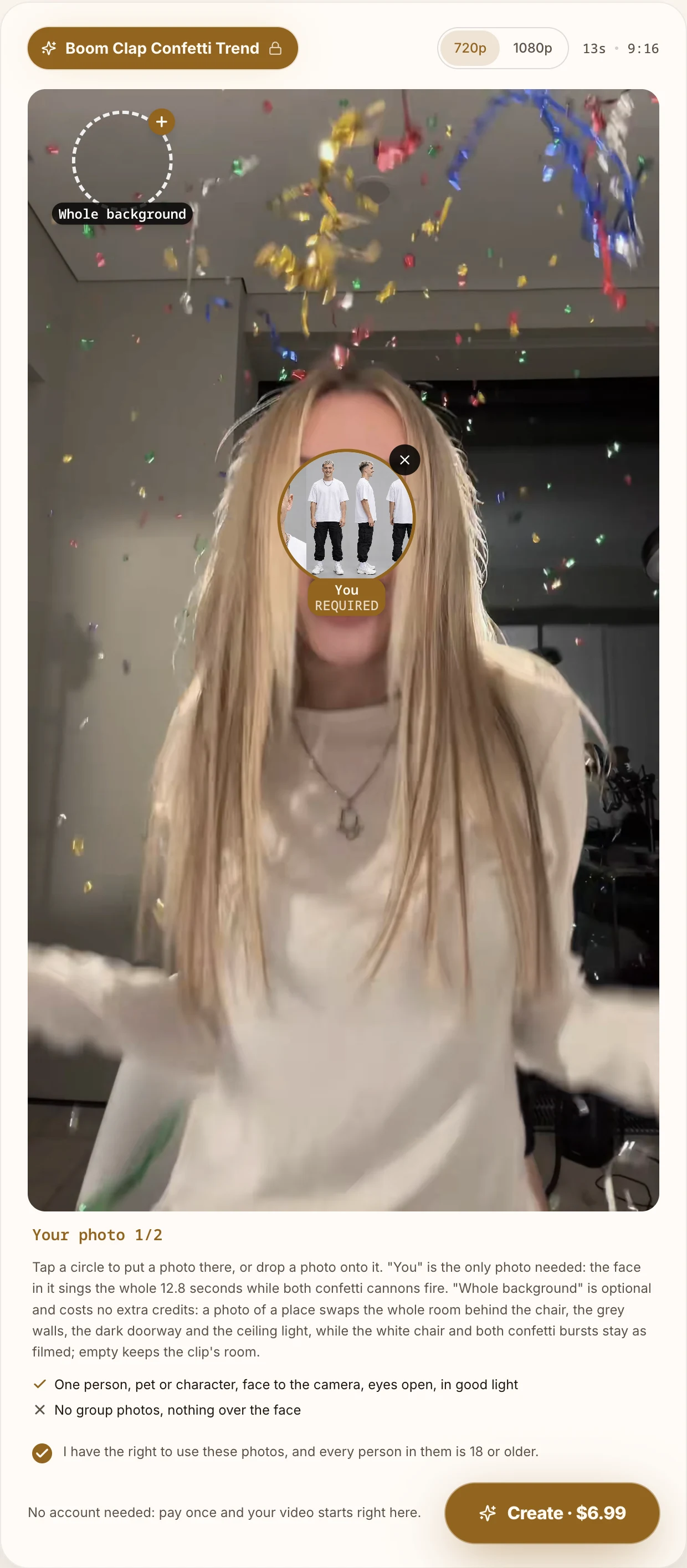
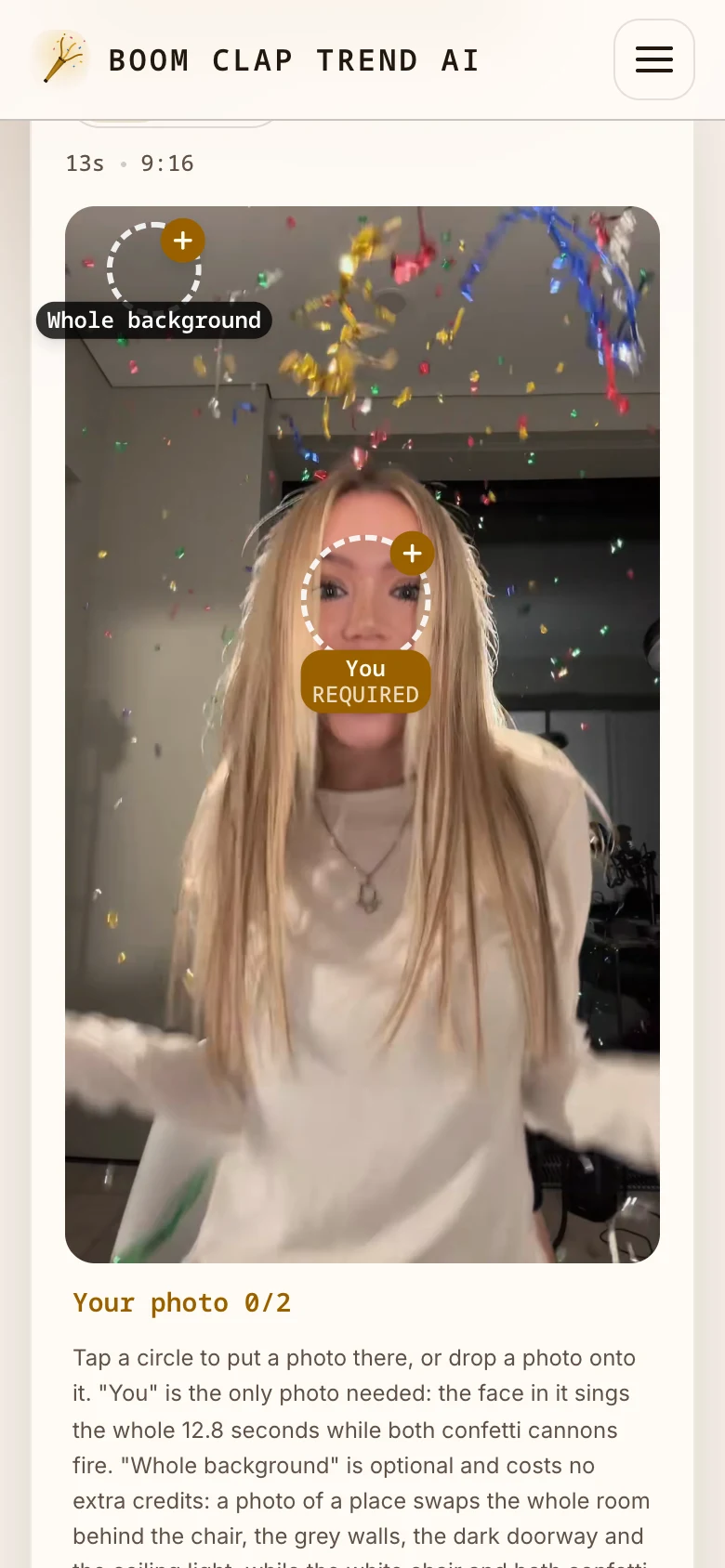
The "You" circle sits right on the singer's face in a still from the clip, marked REQUIRED.
Tap it, or drop a photo onto it. The counter goes from "Your photo 0/2" to 1/2 as your face loads.
The consent box is already ticked, and you'll want to keep it that way. It reads "I have the right to use these photos, and every person in them is 18 or older."
Step 2 (Optional): Add a Place to "Whole Background"
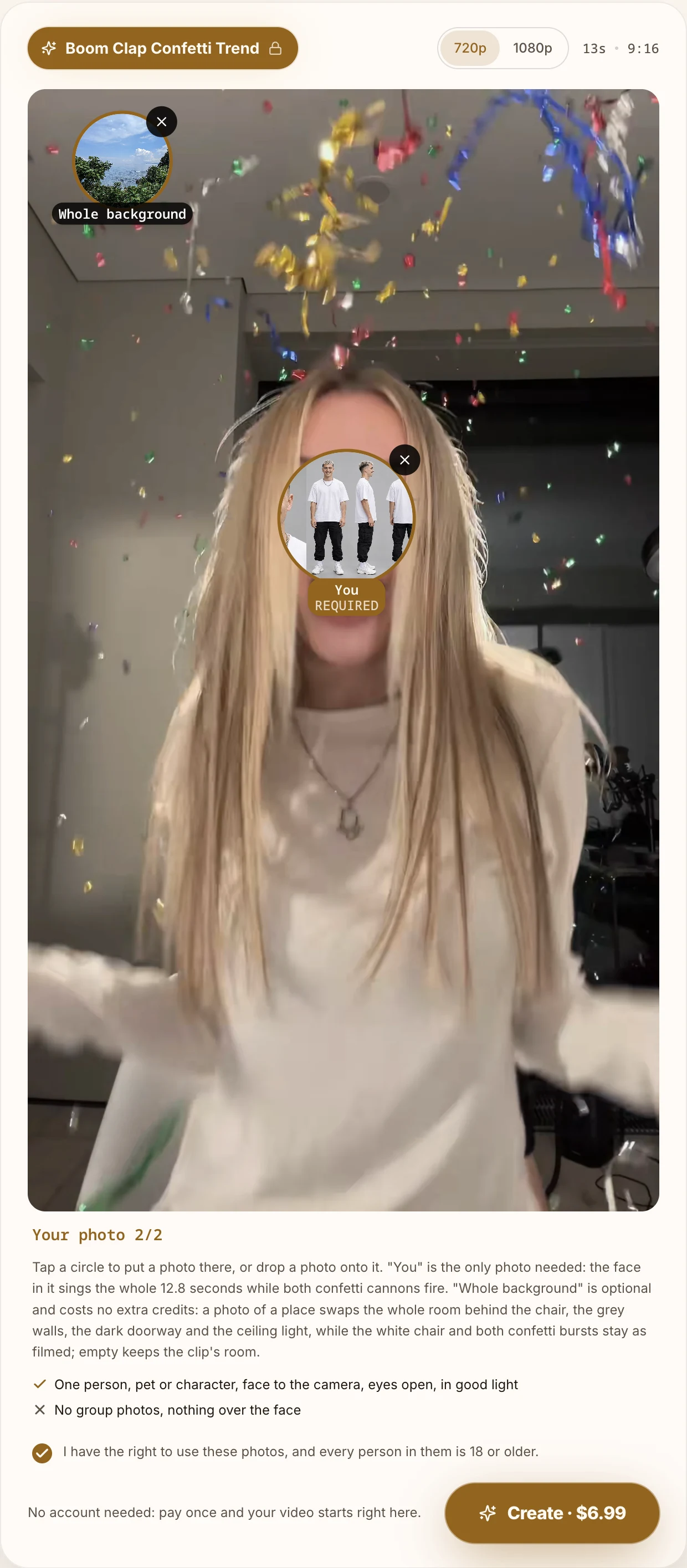
The "Whole background" circle in the top-left corner is optional and costs no extra credits.
A place photo swaps the whole room behind the chair: the grey walls, the dark doorway and the ceiling light. The white chair and both bursts stay exactly as filmed in the original clip.
Prefer the clip's original room? Just leave the circle empty.
In our run we added a beach photo, the counter read 2/2, and the button still read "Create · $6.99".
Step 3: Keep 720p or Pick 1080p
The switch at the top of the composer starts on 720p by default.
Keep 720p and you'll get 720 × 1280 pixels. That's 350 credits, or $6.99.
Pick 1080p and you'll get 1080 × 1920 pixels, which uses 1,480 credits instead. Either way, the Create button shows the exact price before you've paid anything.

Step 4: Press Create and Download Your Boom Clap Confetti AI Video
Pressing "Create · $6.99" as a guest opens a window with one credit pack.
The window says "This render needs 350 credits." It sits alongside details on every credit pack, and there's no account needed to go on. You'll buy 350 credits for $6.99 as a one-time payment, using a credit card or PayPal.
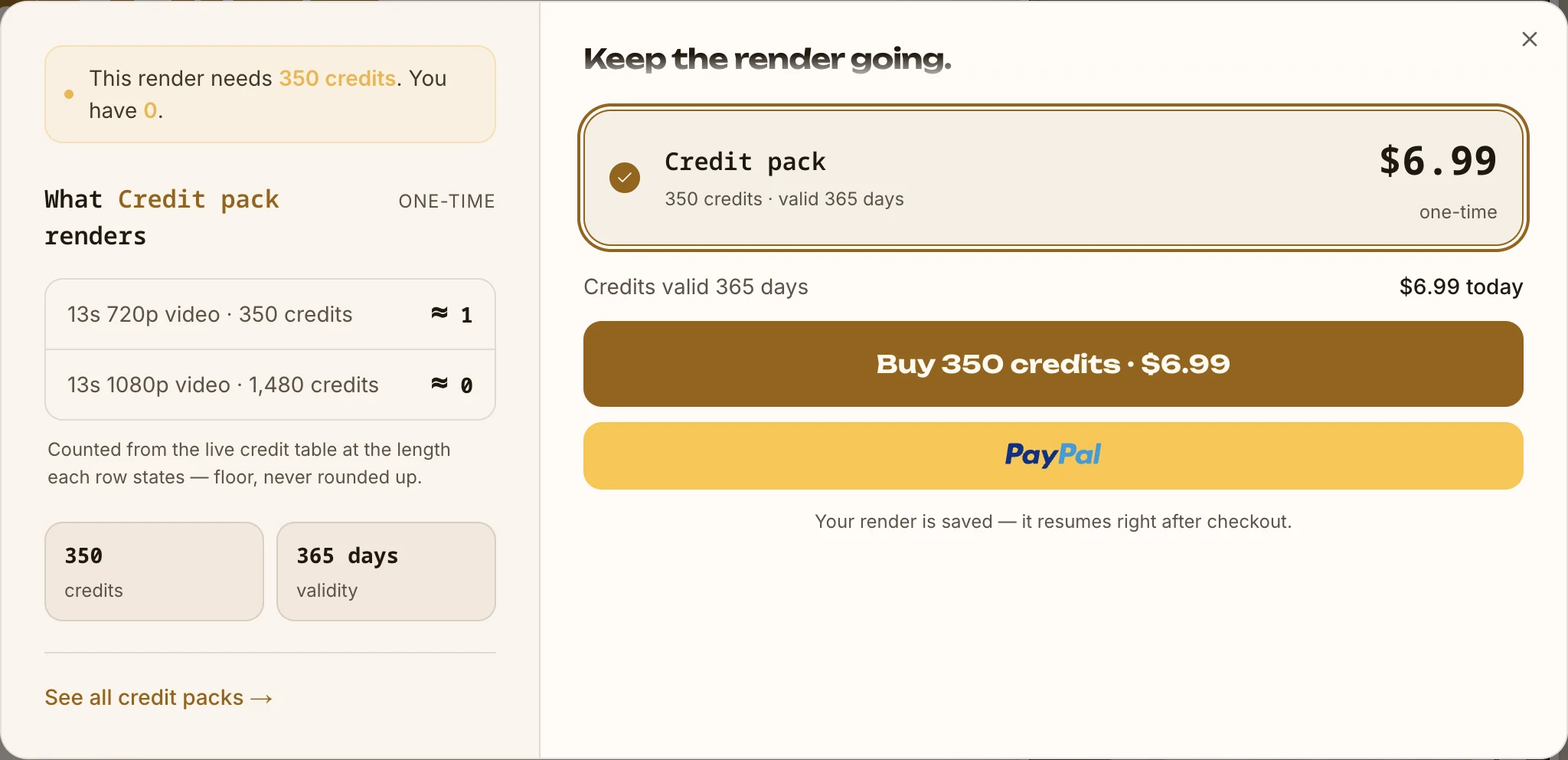
Once your payment goes through, the page says "Payment received. Your video has started." Your credits are held, and they're spent only when the video is ready. If a video fails, its credits come back automatically.
You'll head to "My videos" and click "Download" to save your final MP4 with no watermark.
Pick a Photo That Works for Boom Clap Confetti AI
The photo that works best is a chest-up shot of one face looking directly at the lens.
- Face: looking at the lens, front-on, eyes open, in focus and well lit, with no sunglasses, hands, or hair across it
- Framing: chest up, since the phone in the original sits at chest height so your face takes up a third or more of the picture's height
- One face: one person, pet, or character per photo, so you'll crop a group shot down to whoever should sing
- Outfit: the clothes you're wearing in your photo are the ones you'll wear under the confetti
- Who: you, or any adult 18 or older who agreed, or a pet, a dog, a cat, a cartoon, or a game character
Three photo mistakes to skip:
- Group photo: one person per photo works best, since the "You" circle takes one face, so crop the group shot down to whoever should sing
- Covered face: the best photo shows your whole face, with your eyes open and no sunglasses or hair across them
- Full-length shot: standing too far back leaves your face too small in the frame
Tip: Pick a chest-up photo where your face fills a third or more of the picture's height; a full-length shot leaves the face small.
What Your 12.8-Second Boom Clap Confetti AI Video Shows
The video follows the "BOOM CLAP" post by @po1ives on TikTok second by second.
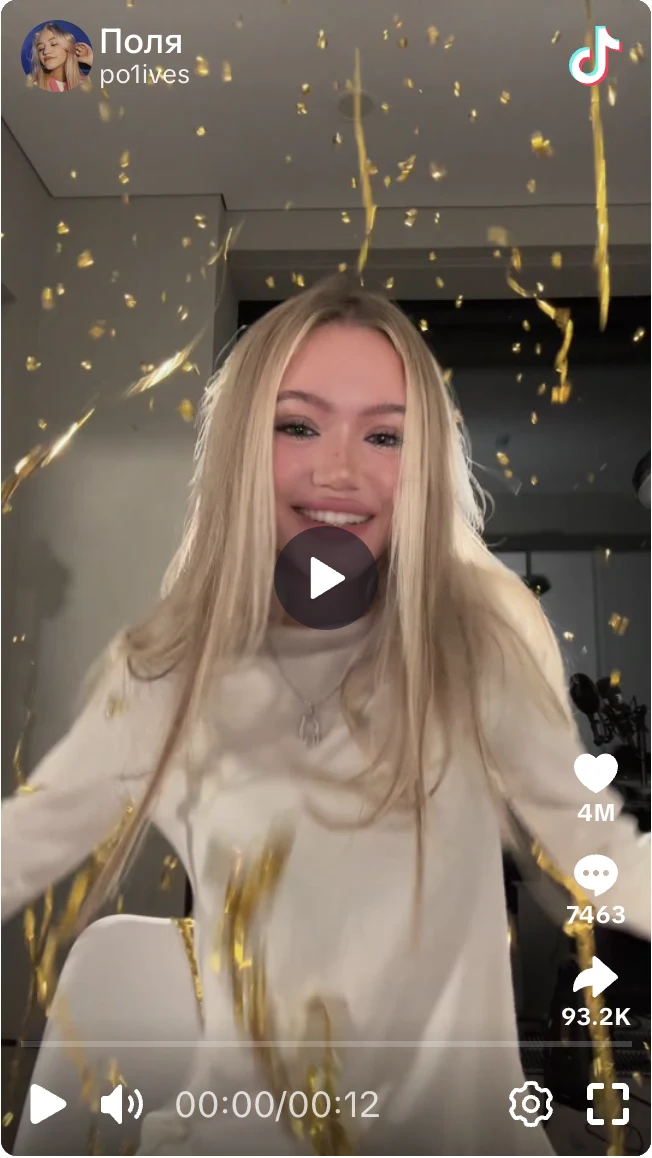
| Seconds | What happens | What it means for you |
|---|---|---|
| 0 to 2.0 s | A grin and a wagging finger at the camera, then arms folded and eyes squeezed shut | Your face and clothes get a count-in grin |
| 2.0 to 3.0 s | Multicolour confetti and streamers shoot up from behind the chair, arms swing wide and land in hair | Your first confetti burst lands on the beat |
| 3.0 to 7.2 s | Laughing, singing, pointing at the phone, a little dance | Your face lip-syncs through the chorus |
| 7.2 to 8.1 s | Arms folded and eyes shut again as gold ribbons fly up and drift down | Your second gold burst goes off |
| 8.1 to 12.8 s | Scooping up the gold ribbons, lifting them, a big smile and both thumbs pointed at yourself | Your finale pose finishes the clip |
You'll see your face and the clothes from your photo replace the original person, while adding a place photo swaps the room behind the chair.
Post Your Boom Clap Confetti AI Video on TikTok and Reels
The downloaded MP4 is already formatted in 9:16 with the trend's sound inside it, so it posts like any video from your camera roll.
TikTok's video ad specs list vertical 9:16 as recommended, at 540 × 960 pixels or more. So both 720p and 1080p clear that bar easily. You won't have to hunt for the sound separately since it's already built right into the file.
Other Ways to Do the Boom Clap Confetti Trend
There are two other routes to get a Boom Clap confetti video, using real confetti or a CapCut template.
-
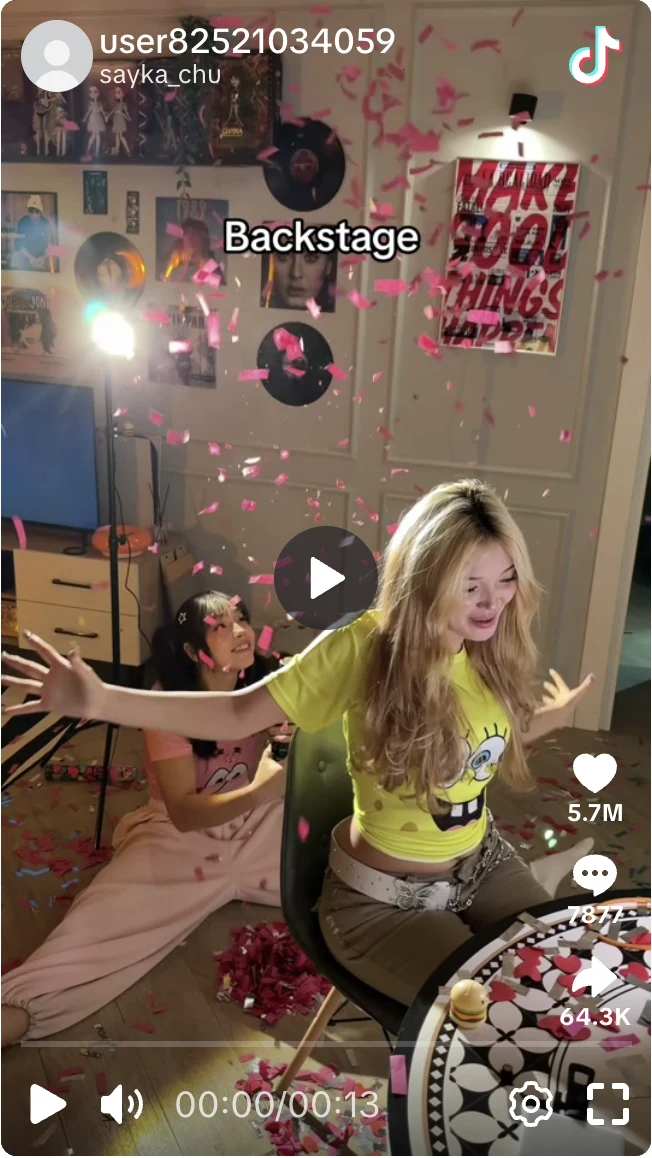
Real confetti. The originals were filmed for real. One person sits facing a phone propped at chest height, and a friend fires a confetti cannon twice on the beat.
The backstage view by @sayka_chu, posted November 17, 2026, shows the friend on the floor firing the cannons. It had 66.4M views on November 29, 2026.
As "yall this took us so many attempts. After 100 tries we got it" from the post by @nataliireynoldss explains, it takes many tries to nail the timing. That post had 71.4M views on November 29, 2026. You'll find the full story of who started the Boom Clap confetti trend in our trend explainer.
-
A CapCut template. X Maaari's one-photo template runs for 00:14 in a 9:16 frame. Its page counted 287,447 uses on November 29, 2026.
On CapCut's website, its button is greyed out with the note "Not available on the web app yet. Try it on the mobile app."
Its preview is a night rooftop, not the white chair. You can check the Boom Clap CapCut template guide for details.
You can also compare alternatives with Boom Clap confetti AI generators compared. You'll find that our Boom Clap confetti maker uses the original clip, your face, both bursts, and no app.
Boom Clap Confetti AI FAQ
Do I need an account to make a Boom Clap confetti AI video?
You don't need an account because you pay once as a guest. You'll just open the link in the email sent to your payment address if you want to keep your videos on another device later.
Can I use a photo of my dog or cat?
You can use a pet, a cartoon, or a game character as long as it's one face looking directly at the lens. You'll get the same 12.8-second singing effect with your chosen subject.
Does the "Whole background" photo cost extra?
You won't pay any extra credits for a background photo since the button reads "Create · $6.99" with both photos in. You'll swap the room behind the chair without touching your credit balance. The 720p video itself still uses its 350 credits, with or without a place photo.
What happens if my video fails?
You'll get your credits returned to your balance automatically if your video fails or times out. You won't lose credits on an unfinished video.
Can I make it on my phone?
You can make it directly in your phone's browser since the same page works on mobile. You'll see both circles on the still using Boom Clap confetti AI.
How long do my credits last?
You'll keep your credits valid for 365 days since packs are one-time payments. You won't have to worry about anything renewing automatically.
Can I use a group photo?
Can I use a group photo? No. The "You" circle takes one face, so crop the group shot down to whoever should sing and use that.
Your Boom Clap Confetti AI Video in Four Taps
You make a Boom Clap confetti video by putting one photo on the "You" circle and pressing Create. Your face sings all 12.8 seconds of the original white-chair clip, through both bursts, with the trend's sound. One 720p video is $6.99, with no account.
Open the Boom Clap Confetti Trend maker, put one photo on "You", add a place on "Whole background" if you like, keep 720p, and press "Create · $6.99".
Related Articles
- What Is the Boom Clap Confetti Trend? (Who Started It, Dated) — the second boom, the first posts and the song behind them.
- Boom Clap CapCut Template: Find the Confetti One and Use It — which template has the confetti, and what to do when it won't open.
- 7 Best Boom Clap Confetti AI Generators, Compared (Nov 2026) — which tools keep the original clip and its sound.


