
Boom Clap CapCut Template: Find the Confetti One and Use It
Boom Clap CapCut template guide: the confetti one is X Maaari's (287K uses), mobile app only. Steps, 4 fixes, or skip it: one photo, $6.99 at 720p.
 Boom Clap Trend AI Team11 min read
The Boom Clap Trend AI team: we watch every Boom Clap confetti clip we write about, date every view count we quote, and read each price on the tool's own page the day we write.

TL;DR — The Boom Clap CapCut template with the confetti is X Maaari's one-photo template, made on November 16, 2026. Its CapCut page counted 287,447 uses on November 29, 2026. On CapCut's website, its button's greyed out with the note "Not available on the web app yet. Try it on the mobile app." So you'll open it in the CapCut app on your phone. Most other "Boom Clap" templates are lyric edits that ask for 9 to 20 photos or clips.
Want to skip the template and the app? Add one photo to Boom Clap Trend AI. You'll get the original 12.8-second white-chair clip with your face singing it and the trend's sound. One 720p video is $6.99, and you don't need an account.
You've probably typed "Boom Clap" into CapCut and got lyric edits asking for a dozen clips. Or maybe you found the confetti one and couldn't press its button on a laptop.
We opened eleven CapCut "Boom Clap" template pages on November 29, 2026, and read their creators, dates, slots and use counts. Below, you'll find which template to look for, five steps, four fixes, a by-hand confetti method and the route with no app.
Which Boom Clap CapCut Template Has the Confetti?
The Boom Clap confetti CapCut template most people use is X Maaari's, a one-photo template made on November 16, 2026. A CapCut template is an edit someone already built in CapCut, with an empty spot where your photo goes.
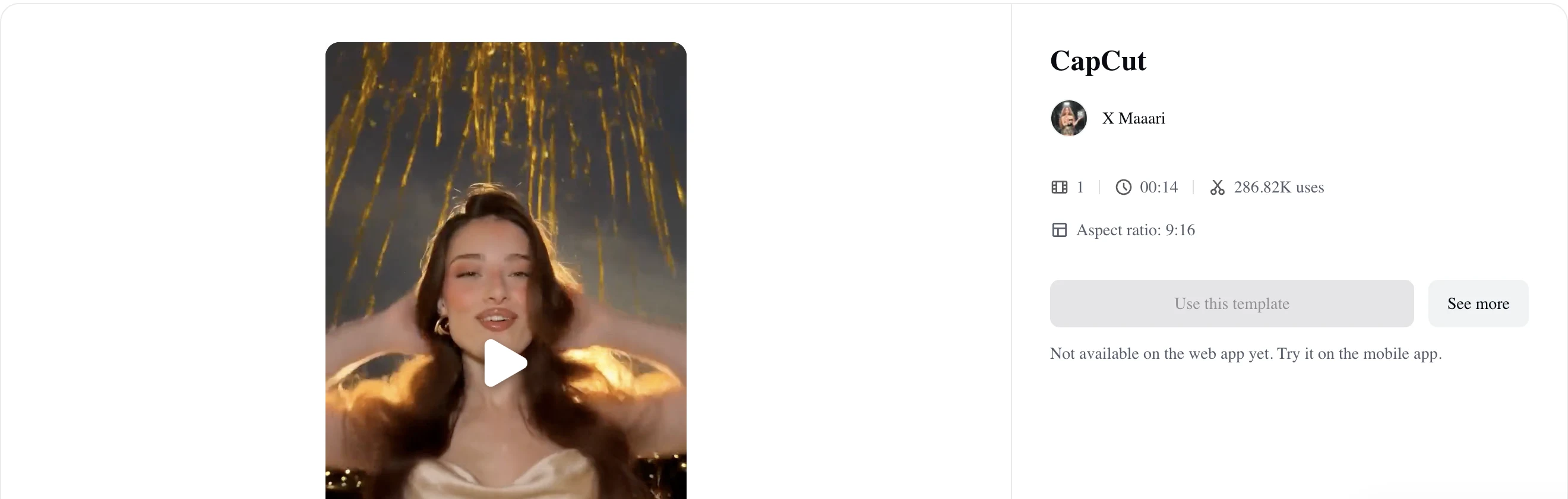
Here's what its CapCut page showed on November 29, 2026:
- Title: There isn't one. The heading on its page just reads "CapCut".
- Creator: It's by X Maaari.
- Made: It was made on November 16, 2026 at 04:29 UTC.
- Photo slots: There's 1 photo slot, so you'll add one photo.
- Length: The page lists 00:14 as the length.
- Frame: The page lists "Aspect ratio: 9:16".
- Uses: The page counted 287,447 uses at 10:22 UTC on November 29, 2026. That's up from 71,642 at 08:56 UTC on November 25, 2026. So it's gained about 216,000 uses in four days, or roughly 53,000 a day.
- Preview: A woman in a champagne satin top stands on a night rooftop, with city lights behind her. She points at the lens and puts her hands in her hair as multicolour confetti bursts. Then gold streamers rain down, and she ends by blowing a kiss.
- On the web: CapCut's website shows a greyed-out "Use this template" button with the note "Not available on the web app yet. Try it on the mobile app."
Two more confetti templates use the same one-photo setup, and the older "Boom Clap" templates ask for far more.
| Template (creator) | Made | Asks for | Uses on Nov 29, 2026 | What it means for you |
|---|---|---|---|---|
| No title (X Maaari) | Nov 16, 2026 | 1 photo | 287,447 | The confetti one most people use; open it in the mobile app |
| ai (cosms) | Nov 17, 2026 | 1 photo | 35,328 | Same two-burst routine in a bedroom |
| No title (IM) | Nov 23, 2026 | 1 photo | 54,741 | The baby version; mobile app only too |
| Boom clap (val(BCR)) | Nov 25, 2026 | 1 photo | 3,174 | Gold streamers; its web button is active |
| Boom Clap x Roses (lalaa [LDR]) | Apr 28, 2026 | 12 photos or clips | 8,884 | A wide lyric edit, not the confetti trend |
| boom clap (zinooyoon) | Mar 25, 2025 | 20 photos or clips | 15,335 | A lyric edit from before the trend |
Use counts come from each template's CapCut page, read at 10:22-10:24 UTC on November 29, 2026.
You can also read who started the Boom Clap confetti trend if you want to see how it began.
How to Use the Boom Clap CapCut Template in 5 Steps
You'll use the Boom Clap CapCut template in the CapCut app on your phone, because its web page sends you there.
- Install the CapCut app on your phone if you don't have it. The template's page says "Try it on the mobile app."
- Open a Boom Clap confetti tutorial on TikTok and tap the template label at the bottom-left of the video. @nikiiiiii_a's tutorial says "Tap the template in the bottom-left corner". @milamilamila496's tutorial tells you to press "CapCut · Use this template".
- Check that it's the right one: creator X Maaari, 1 photo slot, 00:14, a 9:16 frame.
- Tap "Use this template" and add one photo.
- Watch the preview, then export the video and post it.
Tip: Pick a chest-up photo where your face takes up a third or more of the picture's height. You'll want it looking at the lens, eyes open, with nothing over it.
Boom Clap CapCut Template Not Opening? 4 Fixes
Each of the four Boom Clap CapCut template fixes below starts with what you see and ends with what to do.
Fix 1: "Use This Template" Is Greyed Out on CapCut's Website
X Maaari's page shows a greyed-out "Use this template" button with the note "Not available on the web app yet. Try it on the mobile app." IM's baby template page shows the same button and the same note.
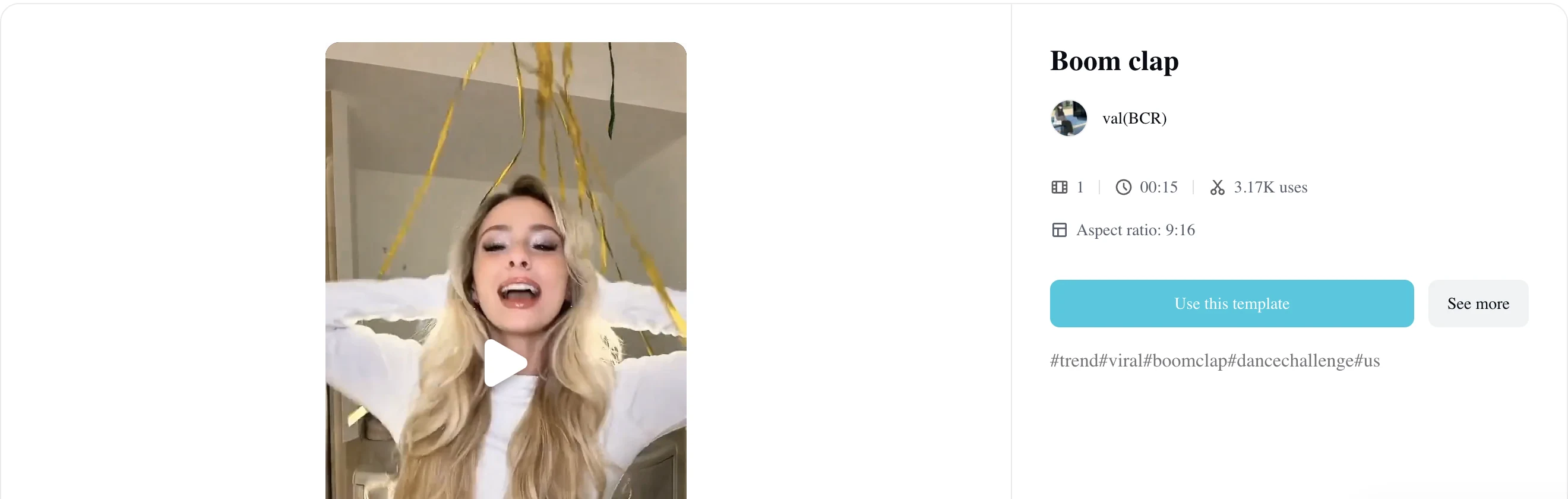
But val(BCR)'s "Boom clap" page doesn't: it shows an active blue "Use this template" button.
Fix: Open the template in the CapCut app on your phone. Want to skip the app? Use the route in the "Without CapCut" section further down.
Fix 2: A Search for "Boom Clap" Shows the Wrong Templates
X Maaari's template has no title, and the heading on its page just reads "CapCut". A web search for "boom clap capcut template" on November 29, 2026 listed eight CapCut template pages on its first page. X Maaari's confetti template wasn't one of them.
Fix: Open it from a tutorial's template label, as in step 2. Then check that the creator's name is X Maaari.
Fix 3: The Template Asks for 12 Clips, Not One Photo
"Boom Clap x Roses" by lalaa [LDR] asks for 12 photos or clips, and "boom clap" by zinooyoon asks for 20. Those lyric templates were made between February 12, 2022 and April 28, 2026, before the confetti trend's first post on November 12, 2026.
Fix: Back out and open a template with 1 photo slot. That's the setup every confetti template in the table uses.
Fix 4: The Preview Isn't the White-Chair Room
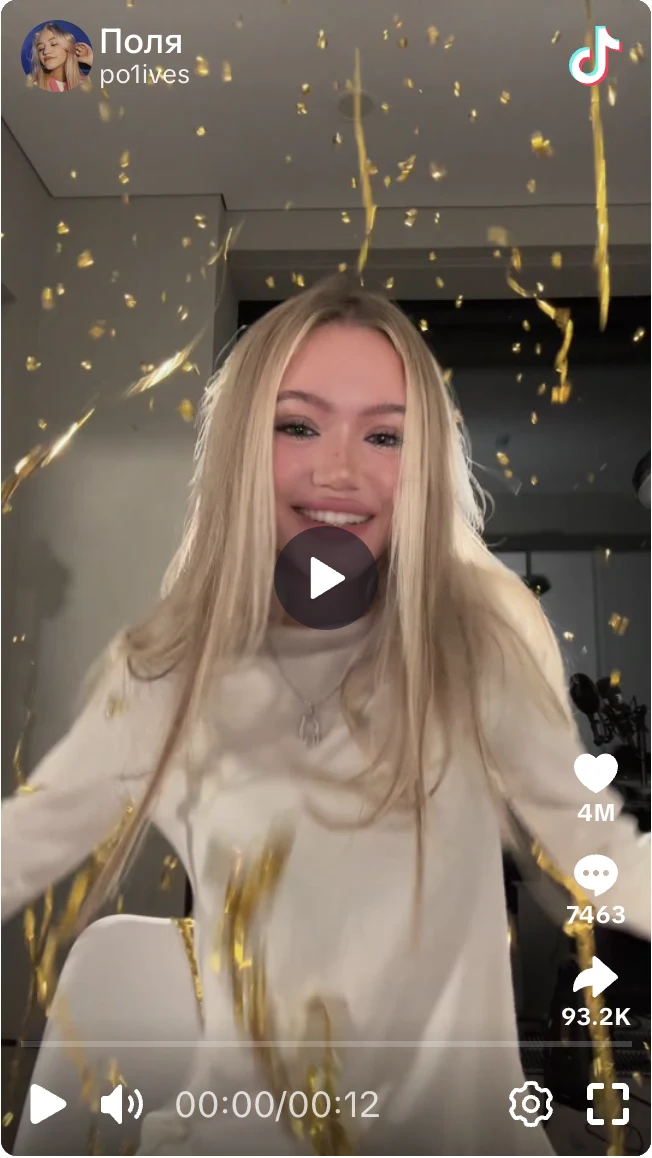
X Maaari's preview is a night rooftop, cosms's is a bedroom and IM's is a baby in an armchair. The trend's best-known clip, the "BOOM CLAP" post by @po1ives, shows a woman on a white chair in a grey room.
Fix: If you want the original room, use the Boom Clap Confetti Trend maker. It edits that very post, so you'll get the grey room and the white chair.
Add a Boom Clap Confetti Burst in CapCut by Hand
You don't need a template to add a Boom Clap confetti burst in CapCut: you can put a confetti effect on your own clip. These steps come from a CapCut desktop tutorial on YouTube, so they're for CapCut on a computer.
- Import your video into the timeline.
- Open the Effects panel and search for Confetti.
- Pick Colorful Confetti from the confetti effects.
- Drag it onto your clip.
- Use the Speed slider on the right to set how fast the confetti falls.
Want gold instead? This golden confetti tutorial shows a gold version of the effect.
Tip: In @po1ives's post, the first burst lands at 2.0 seconds and the gold burst at 7.2 seconds. So put your confetti effects on those two moments.
Do the Boom Clap Confetti Trend Without CapCut
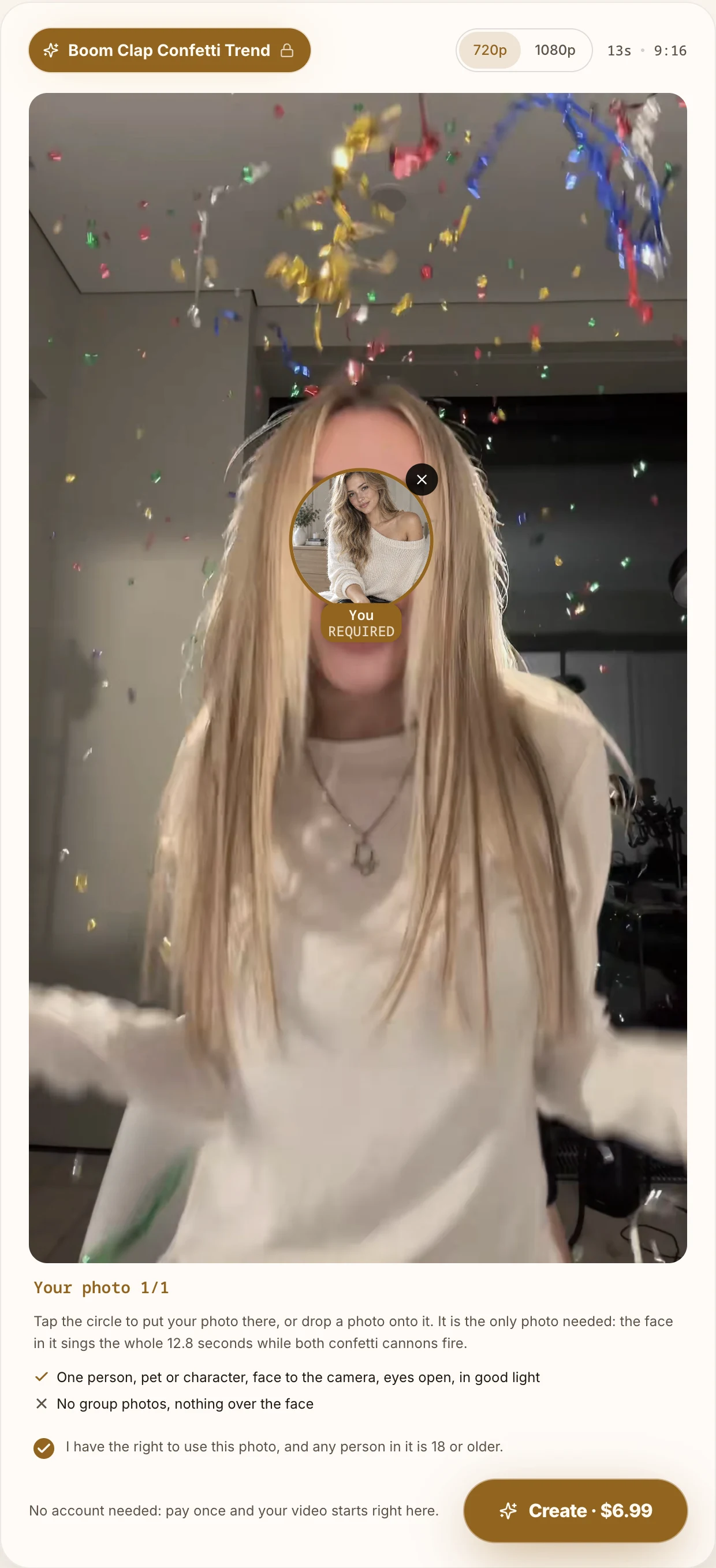
You can make the video on Boom Clap Confetti Trend AI for TikTok and Reels, which edits the trend's own clip so the face from one photo sings it. There's no template, no tutorial and no app.
- Your photo: It can be you, or any adult 18 or older who agreed to it. A pet, a dog, a cat, a cartoon or a game character works too. Crop a group shot down to one face, and keep the box ticked that reads "I have the right to use this photo, and any person in it is 18 or older."
- What changes: The face from your photo sings all 12.8 seconds, in the clothes from your photo.
- What stays: The grey room, the white chair, the camera, the timing, both confetti bursts and the trend's sound stay as in the post.
- What you get: You'll get a 12.8-second, 9:16 MP4 with the trend's sound, in 720p or 1080p. The MP4 you download doesn't have a watermark.
If you want a ready-made template and don't mind installing CapCut, X Maaari's template is the better pick. If you want one photo turned into the original white-chair clip in your web browser, with no app, use Boom Clap Trend AI.
At 720p, the button reads "Create · $6.99", so you'll see the price before you pay. You pay once as a guest, with no account, and the video starts right on the page.
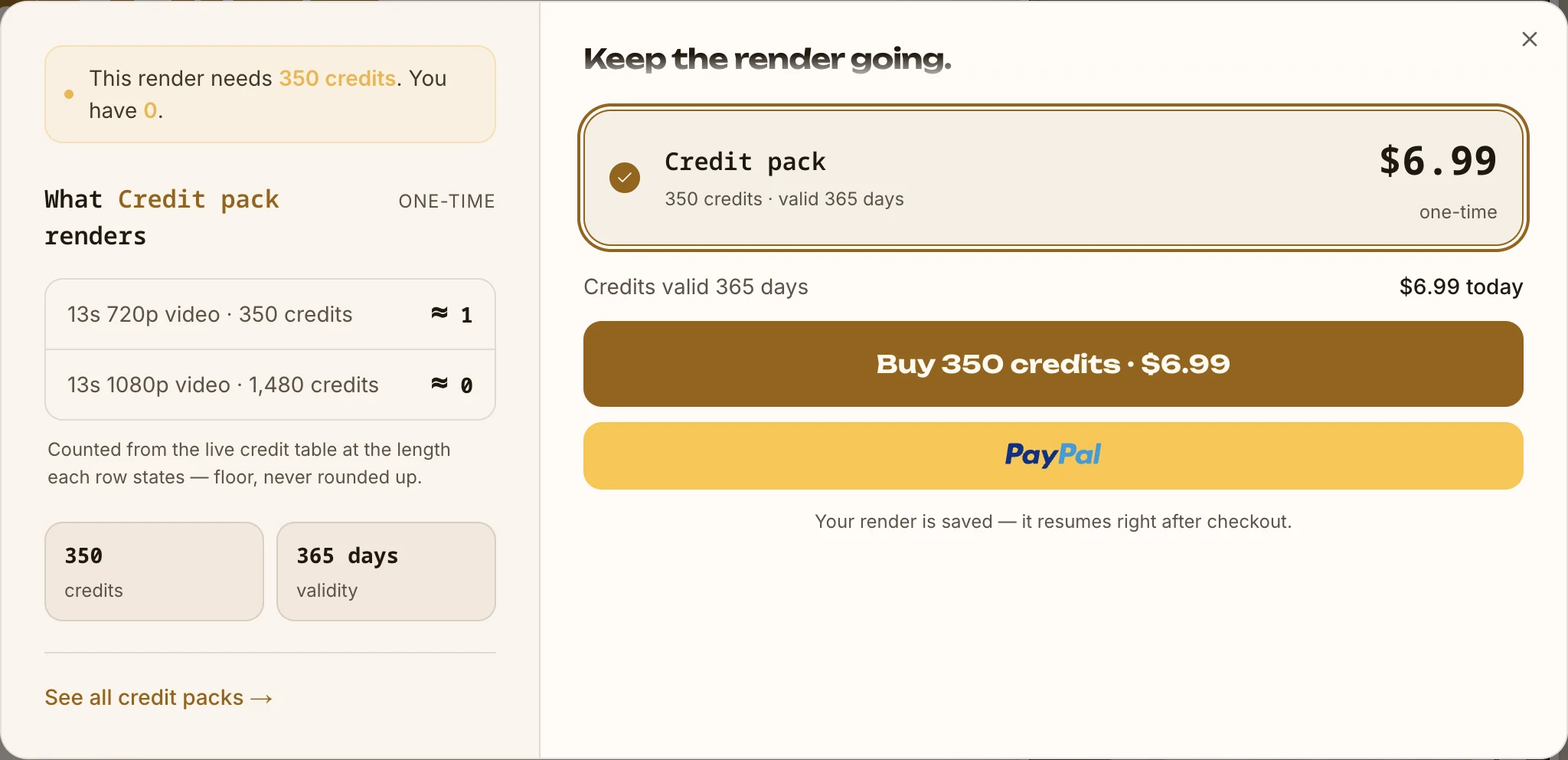
Credits stay valid for 365 days, and a video that fails returns its credits automatically. A 1080p video uses 1,480 credits, and you'll find every credit pack on the pricing page. For a full walkthrough, there's the step-by-step Boom Clap confetti AI guide.
Boom Clap CapCut Template FAQ
Is the Boom Clap confetti template on CapCut's website?
Its page is on CapCut's website, but the button's greyed out. A note under it says it isn't on the web app yet, so you use it in the CapCut app. You'll need your phone's CapCut app to start it from there.
How many times has the Boom Clap CapCut template been used?
The Boom Clap CapCut template had 287,447 uses at 10:22 UTC on November 29, 2026, up from 71,642 on November 25. That's about 216,000 more uses in four days, or roughly 53,000 a day. CapCut calls these uses, and the page doesn't say how many people that is.
Does the Boom Clap CapCut template come with the song?
The tutorial caption by @milamilamila496 says the edit comes "with the iconic Boom Clap sound". The TikTok sound "boom clap" was first posted by @audioluvhr on December 16, 2021. The song itself is Charli XCX's "Boom Clap", from June 17, 2014. A Boom Clap Trend AI video keeps the trend's sound in the MP4, so you don't add it yourself.
Can I do the Boom Clap confetti trend without an app?
Yes: our Boom Clap confetti maker runs in your web browser. It takes one photo and makes one 720p video for $6.99. Want to see other options? Check Boom Clap confetti AI generators compared.
Template or One Photo: Pick Your Boom Clap Route
The Boom Clap CapCut template with the confetti is X Maaari's one-photo template, and it only opens in the CapCut mobile app. Boom Clap Trend AI skips the template and the app. It puts the face from your one photo into the original white-chair clip with the trend's sound, for $6.99 at 720p.
If that's your route, add one photo, keep 720p and press "Create · $6.99" to make a Boom Clap confetti video from one photo.
Related Articles
- What Is the Boom Clap Confetti Trend? (Who Started It, Dated) — the second boom, the first posts and the song behind them.
- How to Make a Boom Clap Confetti AI Video (No Confetti Cannon) — one photo, three taps and what the 12.8 seconds show.
- 7 Best Boom Clap Confetti AI Generators, Compared (Nov 2026) — which tools keep the original clip and its sound.


